This is just to check if this blog app really works.
[Random Image] Aparna Sarovar kids are skating


This is just to check if this blog app really works.
[Random Image] Aparna Sarovar kids are skating
$ sudo yum install youtube-dl
$ youtube-dl http://www.youtube.com/watch?v=video_id
$ youtube-dl -o output.flv http://www.youtube.com/watch?v=video_idUse the original video title :
$ youtube-dl -t http://www.youtube.com/watch?v=video_idHave a literal title :
$ youtube-dl -l http://www.youtube.com/watch?v=video_id
$ youtube-dl -u username -p password http://www.youtube.com/watch?v=video_id
$ youtube-dl -n http://www.youtube.com/watch?v=video_idAppend this line to ~/.netrc file :
machine youtube login username password password
$ youtube-dl -g http://www.youtube.com/watch?v=video_idOr grab the Title :
$ youtube-dl -2 http://www.youtube.com/watch?v=video_id
$ youtube-dl -q http://www.youtube.com/watch?v=video_id &
$ youtube-dl -h
<search
 name="Google Linux"
 method="GET"
 action="http://www.google.co.in/linux"
 queryCharset="utf-8"
>
  <input name="q" user>
</search>
<input name="sitesearch" value="gnu.org">below
<input name="q" user>Just carefully observe the URL after you hit a search for the parameter name/value and keep adding for a filtered search.
$ vim /etc/nsswitch.confOr use any other editor of your choice
hosts: files mdns4_minimal [NOTFOUND=return] dns mdns4and add wins at the end of the line
hosts: files mdns4_minimal [NOTFOUND=return] dns mdns4 winsSave the file and exit
$ ping xyzYou will get a output something like this :
PING xyz (192.168.2.1) 56(84) bytes of data.Here
192.168.2.1 is the required IP | | 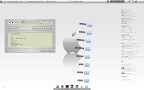 |
| Neat | Dirty |
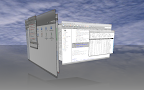 | |  | |  |
| Cube Effect | Window Decoration | Shift Switcher |
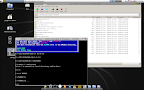 |  | |
| Emulators | Gimp | |
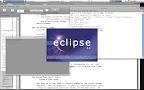 |  | |
| Python Programming | Fluxbox |
$ wget <URL>Or better :
$ wget -c <URL>-c or --continue lets you resume your incomplete download done using wget or a different program
$ wget -q <URL> &
$ wget <URL> -o filename
$ wget -i filenameStrore all download links in a file separated by Return key and link it with wget
$ wget -t <no. to tries> -T <duration> <URL>
$ wget -O - <URL>
$ wget -r -l1 -np -A.<extension> <directory>Example for http://www.abc.com/def/*.jpg
$ wget -r -l1 -np -A.jpg http://www.abd.com/def/
$ wget -c -r -nc -p -D <domain> -k <URL>For this I have written a script for easy downloading :
#!/bin/bashOr download the script from here. Syntax :
# Bash Script for Web Site downloading by GNUger
# Syntax : $ sitesdwn [URL]
command="wget -c -r -p -k"
domain=$(echo $1 | cut -d/ -f3 | cut --complement -d. -f1)
echo
read -p "Download within $domain only (y/n) : " opinion
if [[ $opinion == 'y' ]] ; then
command="$command -D $domain"
fi
read -p "Disable overwriting existing files (y/n) : " opinion
if [[ $opinion == 'y' ]] ; then
command="$command -nc"
fi
read -p "Download outside the current directory (y/n) : " opinion
if [[ $opinion == 'n' ]] ; then
command="$command -np"
fi
read -p "Save as HTML extension (y/n) : " opinion
if [[ $opinion == 'y' ]] ; then
command="$command -E"
fi
read -p "Enable compatibility with Windows (y/n) : " opinion
if [[ $opinion == 'y' ]] ; then
command="$command --restrict-file-names=windows"
fi
echo "Downloading ... "
echo
$command $1
echo
echo "End"
exit 1
fi
./sitedwn.sh <URL>
 |
mplayer -af volume=20:0 mediafileWould amplify the sound by 20dB and hard-clip if the sound level is too high
AUDIO FILTERS
Audio  filters allow you to modify the audio stream and its properties. The syntax is:

       -af <filter1[=parameter1:parameter2:...],filter2,...>
              Setup a chain of audio filters.

       NOTE: To get a full list of available audio filters, see -af help.

            volume[=v[:sc]]
              Implements  software  volume control.  Use this filter with cau‐
              tion since it can reduce the signal to noise ratio of the sound.
              In  most  cases it is best to set the level for the PCM sound to
              max, leave this filter out and control the output level to  your
              speakers  with  the master volume control of the mixer.  In case
              your sound card has a digital PCM mixer  instead  of  an  analog
              one,  and you hear distortion, use the MASTER mixer instead.  If
              there is an external amplifier connected to the  computer  (this
              is  almost always the case), the noise level can be minimized by
              adjusting the master level and the volume knob on the  amplifier
              until the hissing noise in the background is gone.
              This  filter has a second feature: It measures the overall maxi‐
              mum sound level and prints out that level  when  MPlayer  exits.
              This  volume estimate can be used for setting the sound level in
              MEncoder such that the maximum dynamic range is utilized.
              NOTE: This filter is not reentrant and can therefore only be en‐
              abled once for every audio stream.
                 <v>
                      Sets  the  desired  gain  in  dB for all channels in the
                      stream from -200dB to  +60dB,  where  -200dB  mutes  the
                      sound  completely  and  +60dB equals a gain of 1000 (de‐
                      fault: 0).
                 <sc>
                      Turns soft clipping on (1) or  off  (0).   Soft-clipping
                      can  make the sound more smooth if very high volume lev‐
                      els are used.  Enable this option if the  dynamic  range
                      of the loudspeakers is very low.
                      WARNING:  This  feature creates distortion and should be
                      considered a last resort.
sudo: unable to resolve host HOSTNAMEAfter a bit of googling I found that it was already reported : Bug #195308.
sudo vim /etc/hosts
127.0.1.1 hostname.domainnamewith
127.0.1.1 hostname
$ ifconfig
$ ifconfig deviceExample:
$ ifconfig ppp0
$ ifconfig | grep 'P-t-P' | cut -d: -f2 | awk {'print $1'}OR$ wget -q -O- http://www.whatismyip.com/automation/n09230945.aspHere we are taking the help of http://www.whatismyip.com/
$ arp
$ route
$ ping IP addrExample:
$ ping 192.169.25.15
$ cat /proc/acpi/battery/BAT0/info
$ cat /proc/acpi/battery/BAT0/stateNOTE: BAT0 may differ as per your Laptop model, look for what you have got in /proc/acpi/battery directory.
#!/bin/bashAttached the script file here
# Battery Status by GNUger
current=`grep remaining /proc/acpi/battery/BAT0/state | awk {'print $3'}`
total=`grep "design capacity:" /proc/acpi/battery/BAT0/info | awk {'print $3'}`
percent=$[100*$current/$total]
echo `grep charging /proc/acpi/battery/BAT0/state | awk {'print $3'}` $percent%
$ vim ~/.fluxbox/keys
Control Mod1 Delete :ExecCommand xterm -e topYou can use gnome-system-monitor instead of xterm -e top, but I have used it to retain Fluxbox's spirit of minimalism

$ obexftp -b
obexftp -b mac address -B channel -lYou can also change the current directory to browse its content
$ obexftp -b mac address -B channel -c directory -lNOTE: Replace mac address, channel & directory with your own value
$ obexftp -b mac add -B channel -c phone directory -p fileAnd retrieve file :
$ obexftp -b mac add -B channel -c phone directory -g file

$ sudo apt-get install gfceu
# yum install fluxbox pcmanfm imagemagick mplayer epiphany
$ fluxbox-generate_menu -kgB -is -ds -t xterm -b epiphanyYou can also add custom items to your menu : Editing Menu
$ fbsetbg /path/to/wallpaperNow edit you ~/.fluxbox/init file with any editor and search for session.screen0.rootCommand: and add fbsetbg -l beside it.
$ mplayer -fps 15 tv:// -tv driver=v4l2:device=/dev/video0
$ mplayer -fps 15 tv:// -tv driver=v4l2:width=640:height=480:device=/dev/video0
$ mplayer -vf mirror -fps 15 tv:// -tv driver=v4l2:device=/dev/video0
$ mplayer -aspect 16:10 -fps 15 tv:// -tv  driver=v4l2:device=/dev/video0
$ mplayer -aspect 16:10 -vf mirror -fps 15 tv:// -tv  driver=v4l2:device=/dev/video0
$ mplayer -vf screenshot -fps 15 tv:// -tv driver=v4l2:device=/dev/video0
$ mplayer -vf mirror,screenshot -fps 15 tv:// -tv driver=v4l2:device=/dev/video0
$ mencoder tv:// -tv driver=v4l2:width=640:height=480:device=/dev/video0 -nosound -ovc lavc -o filename.avi
$ mencoder tv:// -tv driver=v4l2:width=640:height=480:device=/dev/video0:forceaudio:adevice=/dev/dsp -ovc lavc -oac mp3lame -lameopts cbr:br=64:mode=3 -o filename.avi
 |  |
|
|


 Posts
All Comments
Posts
All Comments


